








10 ways to increase your online sales on Urbanese
Practical ways to get more orders from your Urbanese store: better listings, coupons, campaigns, banners, ads, fast replies and reviews.
Opening a store is the first step. Getting regular orders comes from small things done well, every week. Here are 10 ways to increase your online sales on Urbanese, using tools already in your Vendor Panel.
1. List your whole range
Commission-plan stores have no product limits, and listings are currently free. Every product you list is another chance to be found. Use AI Product Listing to turn a price list, menu photo, PDF or website link into listings, or bulk import for large ranges. Listings are free: how to make every product count
2. Name products the way customers search
Customers search by brand, product and size: “Sugar 1 kg”, “Samsung 25W Fast Charger”, “Chicken Biryani Full”. A clear name helps your product show up in search, both on Urbanese and on Google.
3. Use a real photo for every item
Customers decide from the photo, the name and the price. Use your own clear photo of the actual product, in good light. Product photos and prices that sell
4. Keep prices and stock accurate
A customer who orders something you don’t have may not come back. Set a minimum stock level so your dashboard warns you when an item is running low. On Urban Eats, set the times each item is available instead of cancelling orders.
5. Create a coupon
From your Vendor Panel, create a discount or free-delivery coupon for your store. You can set a minimum purchase, a per-customer limit, and start and expiry dates. A small free-delivery offer is often enough to win a first order.
6. Join Urbanese campaigns
Urbanese runs campaigns you can request to join. Your request stays pending until Urbanese approves it, and you can leave at any time.
7. Add store banners and an announcement
Add banners to your store page (recommended ratio 3:1) to show your best products or offers, and an announcement for news like new stock or holiday hours.
8. Try a paid in-app ad
For extra visibility, run a store or video promotion inside the app. Ads start as pending until Urbanese approves them, and you can pause, resume or edit them at any time.
9. Reply fast to orders, messages and reviews
Accept orders quickly, chat with customers and riders from your Vendor Panel, and reply politely to reviews. Fast, friendly replies build trust and bring customers back.
10. Share your store link
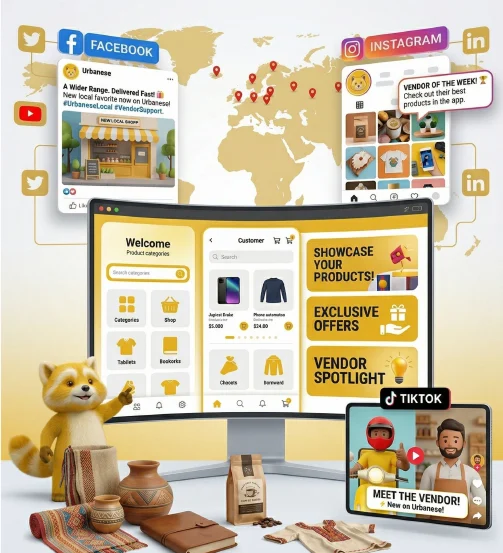
Your Urbanese store has its own web link. Add it to your WhatsApp Business profile, WhatsApp status, Instagram bio and Facebook page, so your existing customers can order online. How to sell on WhatsApp with your Urbanese store · How to put your shop on Google Maps
Keep going
Check which products sell, and list more like them. Small improvements each week add up.
Five ways to promote your store on Urbanese · Not selling yet? Register free.
Related reading
Ready to put this into practice? Become a Vendor or read How to Become a Vendor.